> ## Documentation Index
> Fetch the complete documentation index at: https://qawolf-goran-unruffled-wing-322a2c.mintlify.site/llms.txt
> Use this file to discover all available pages before exploring further.
# Create a new flow
> Create flow files and folders and write test code manually in the QA Wolf code editor.
If you'd prefer to have AI create and edit flows for you, see [Automate flows with AI](/qawolf/Automate-flows-using-AI-2d35b2a994fb8084b524cfc9aca7c358).
## Create a folder or flow
From the **Automate** tab, navigate to the location in the file tree where you want to create the new file or folder.
Click the icon in the toolbar.
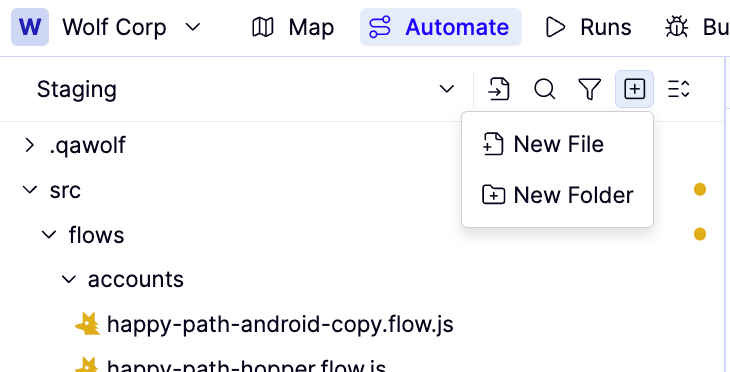 Click **New Folder** or **New Flow**.
Use clear, descriptive names that reflect your app's feature areas — this helps both you and AI keep flows organized.
## Write test code
Select a flow file from the tree to open it in the code editor. The editor prefills new flows with [AAA](https://www.qawolf.com/blog/intro-to-aaa) (Arrange-Act-Assert) comments as a starting structure.
For a full explanation of flow structure and imports, see [Anatomy of a flow](/qawolf/anatomy-of-a-qa-wolf-test-mobile-edition).
QA Wolf lints your code as you type. See [Debug tests & flows](/qawolf/Debug-tests-and-flows-2c15b2a994fb805c9e92eec7a4a3e83e) if you encounter errors.
## Publish your changes
When ready, click **Review**.
Click **New Folder** or **New Flow**.
Use clear, descriptive names that reflect your app's feature areas — this helps both you and AI keep flows organized.
## Write test code
Select a flow file from the tree to open it in the code editor. The editor prefills new flows with [AAA](https://www.qawolf.com/blog/intro-to-aaa) (Arrange-Act-Assert) comments as a starting structure.
For a full explanation of flow structure and imports, see [Anatomy of a flow](/qawolf/anatomy-of-a-qa-wolf-test-mobile-edition).
QA Wolf lints your code as you type. See [Debug tests & flows](/qawolf/Debug-tests-and-flows-2c15b2a994fb805c9e92eec7a4a3e83e) if you encounter errors.
## Publish your changes
When ready, click **Review**.
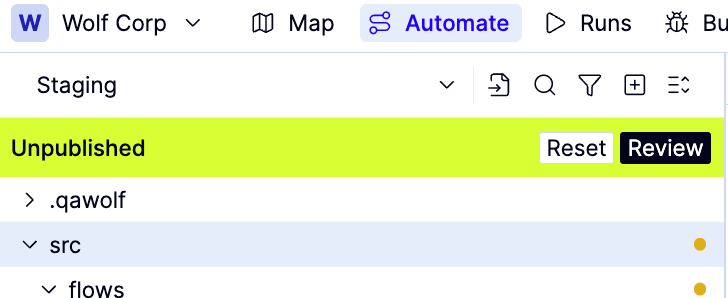 Review your changes in the side-by-side diff.
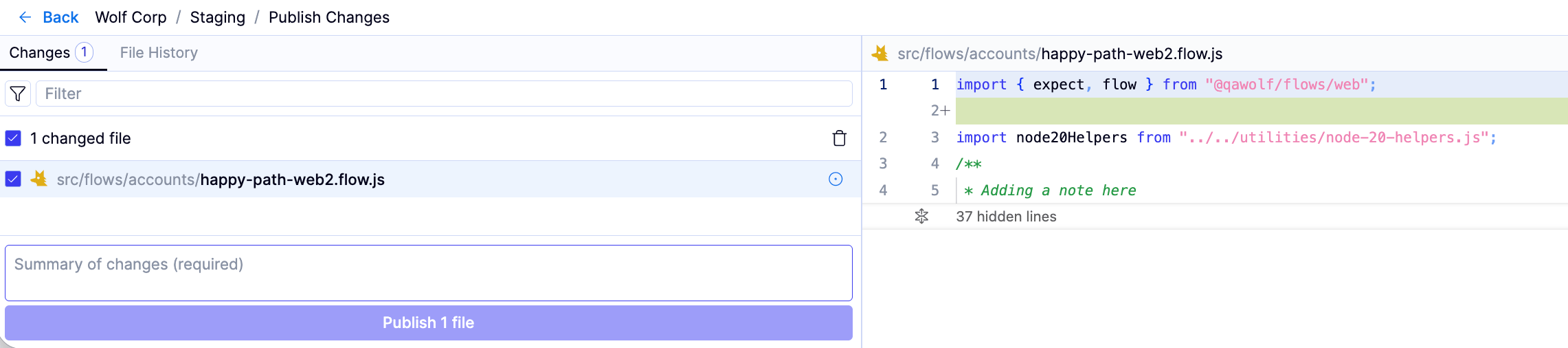 Enter a clear description of the change in the **Adding a comment** field.
Click **Publish changes** to confirm. The publish dialog will close when your changes have been saved.
Enter a clear description of the change in the **Adding a comment** field.
Click **Publish changes** to confirm. The publish dialog will close when your changes have been saved.